AlFaris ERP brings sales, point of sale, inventory, accounting and e-invoicing compliant with ZATCA requirements together in one system — works offline, trusted by hundreds of stores across Saudi Arabia.
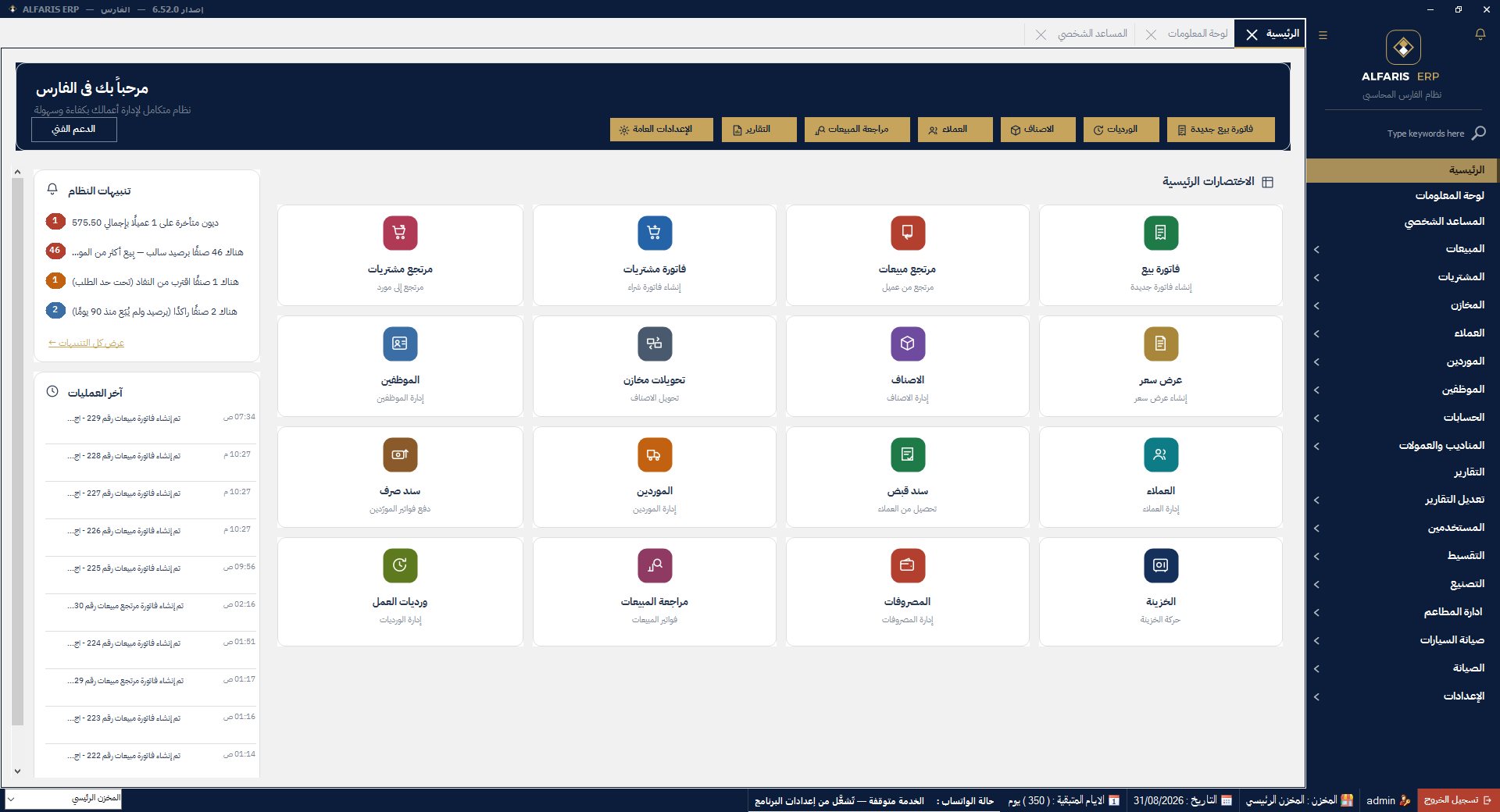
Click any feature for a detailed overview with real screenshots from the software
Signed, submitted and tracked from inside the sales screen itself
Fully implements Phase 2 (integration) of Saudi e-invoicing: simplified and standard tax invoices, digitally signed with QR codes and submitted to the authority automatically the moment they are issued — no extra step for the cashier.
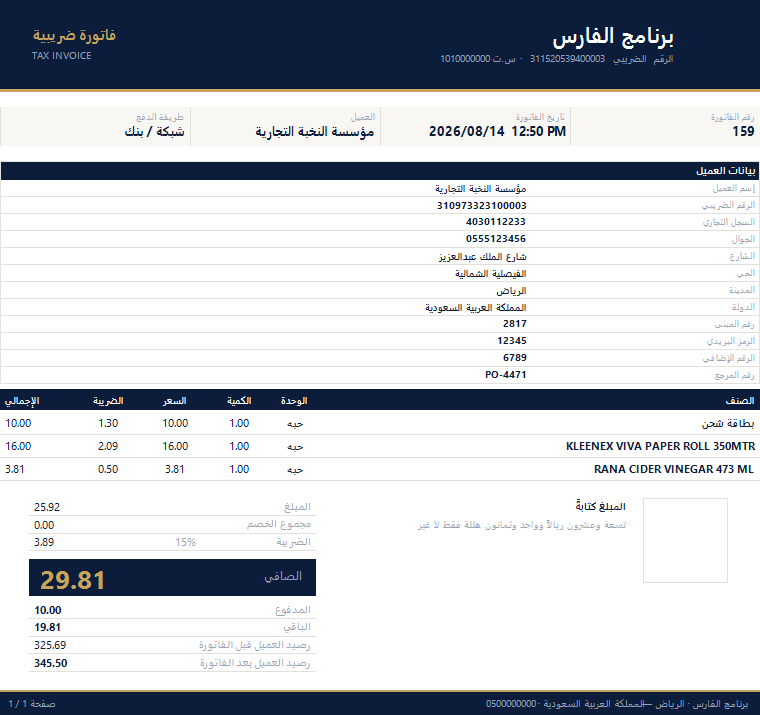
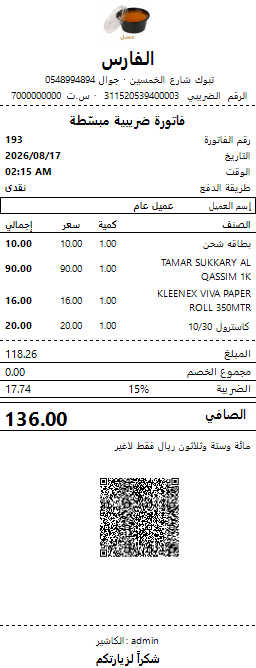
A4 tax invoice and 80mm simplified receipt with QR — exactly as printed by the software
Fast touch- and barcode-driven cashier with every payment method
A sales screen built for real workload: instant search by barcode or name, touch-friendly item groups with photos, and checkout in seconds — cash, card or credit — with thermal or A4 printing and WhatsApp sending.
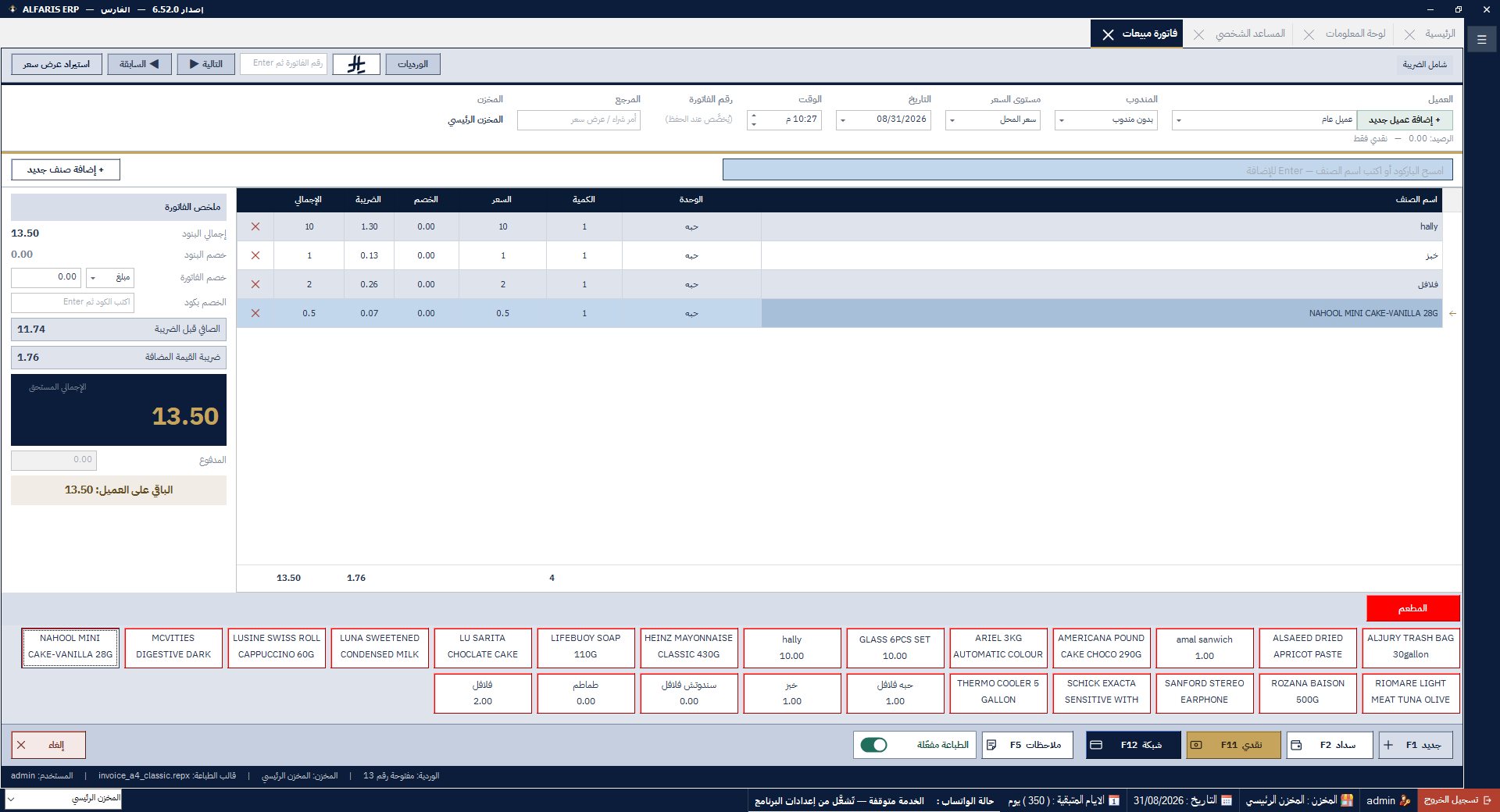
The sales screen — touch and barcode selling
Tables, dine-in, takeaway and delivery — a UI made for restaurants
A dedicated restaurant interface: photo-based menu groups, order type (dine-in / takeaway / delivery / tables), per-item add-ons and notes, and a kitchen ticket separate from the customer invoice.
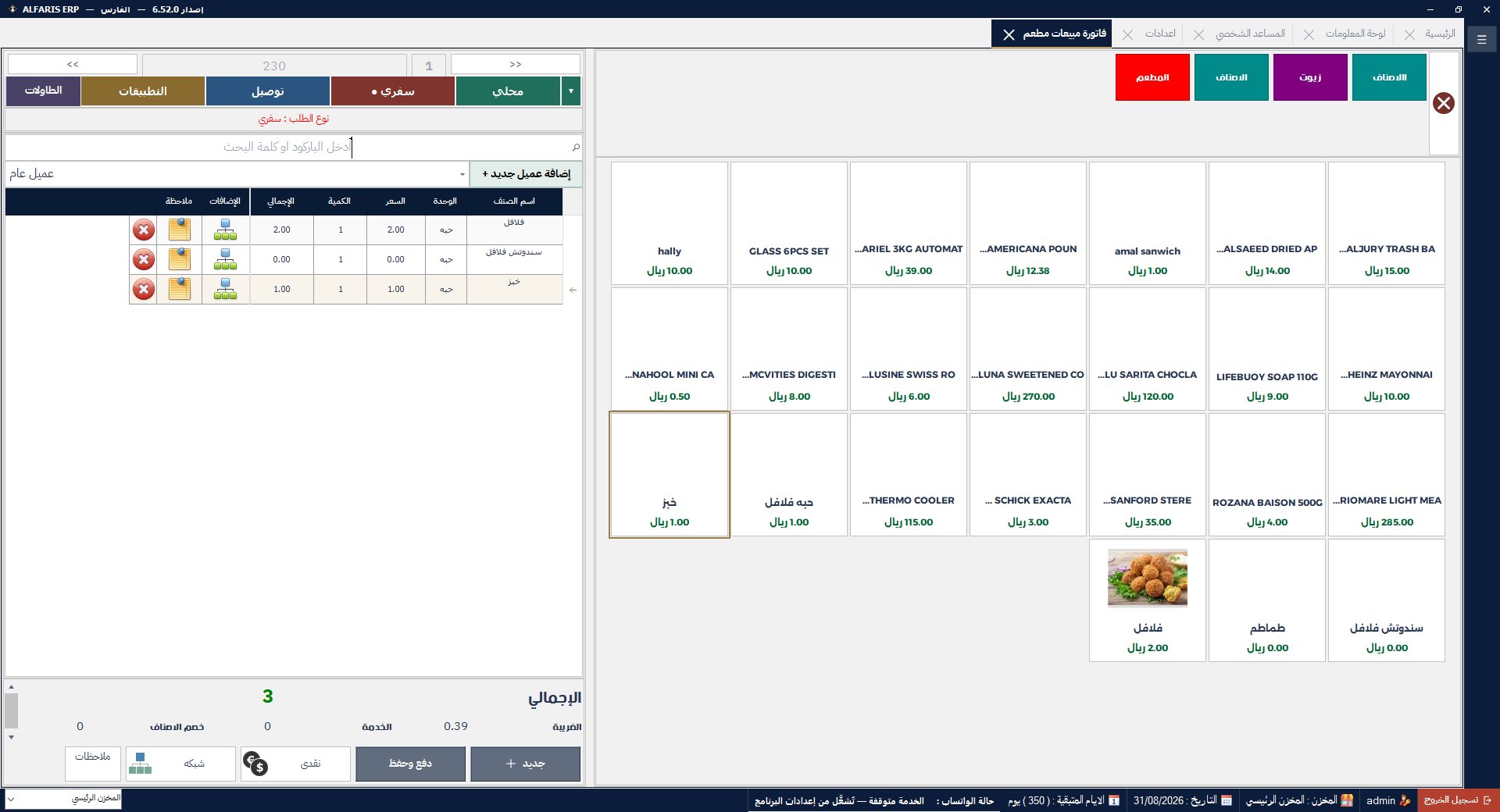
The restaurant sales screen
HungerStation, Jahez, Keeta and more — a separate account per app
Record delivery-app orders (HungerStation, Jahez, Keeta, Mrsool…) from the same sales screen. The system keeps an independent account per company with its commission, so you always know exactly what each app owes you and your real net profit from it.
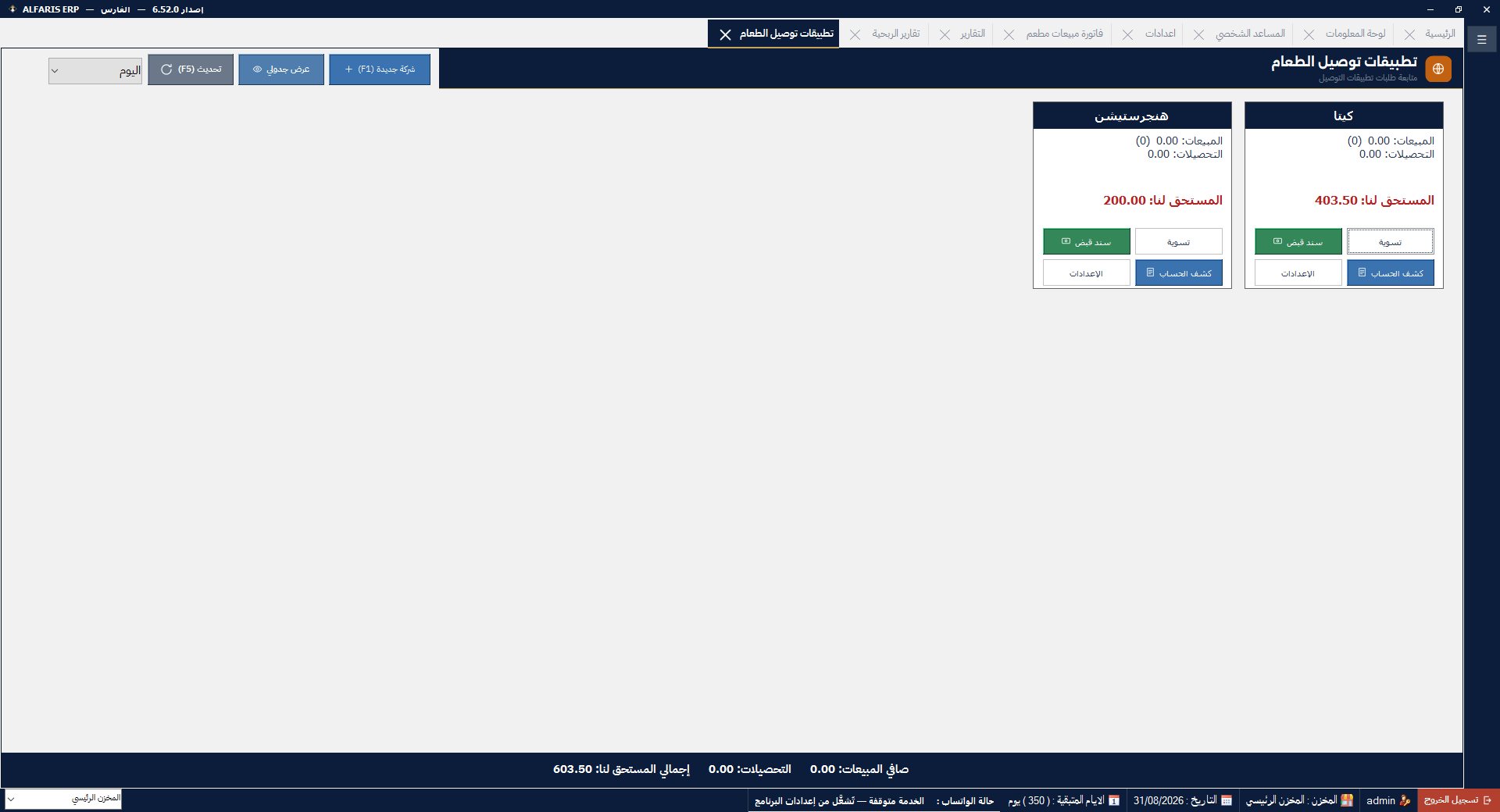
Managing delivery-app orders and balances
The system messages your customers, and messages you too
A built-in WhatsApp service that works automatically: the moment an invoice is issued, a copy reaches the customer on WhatsApp — and at the end of the day you, as the owner, receive the sales and profit report on your phone without asking, even when you're away from the store.
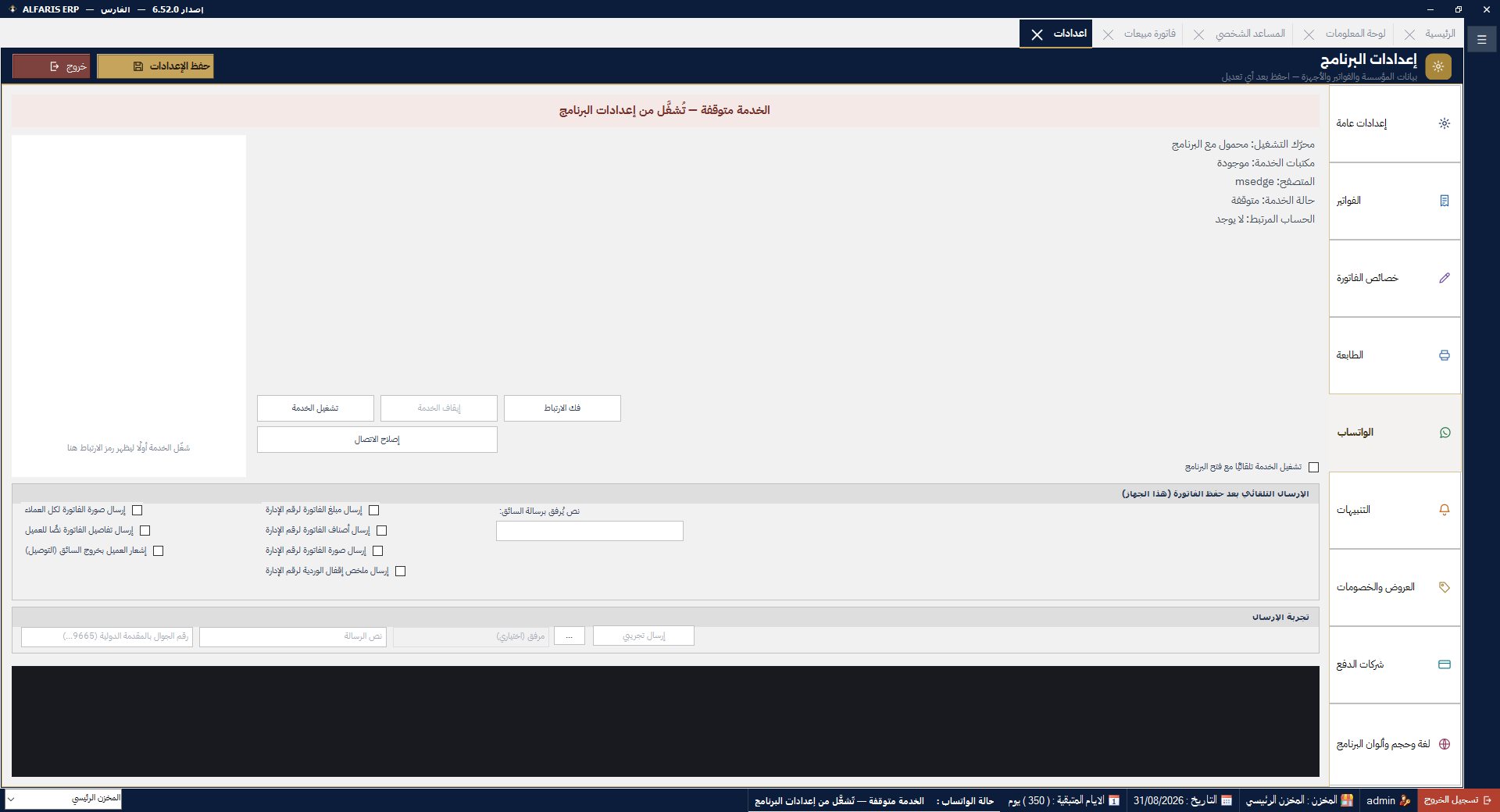
The WhatsApp service settings inside the software
Dozens of ready reports — sales, profits, inventory, accounting
A complete report library that answers every question about your business: sales by period, item and user; total and detailed profits per invoice and per item; inventory movement; customer and supplier statements; and VAT reports ready for filing.
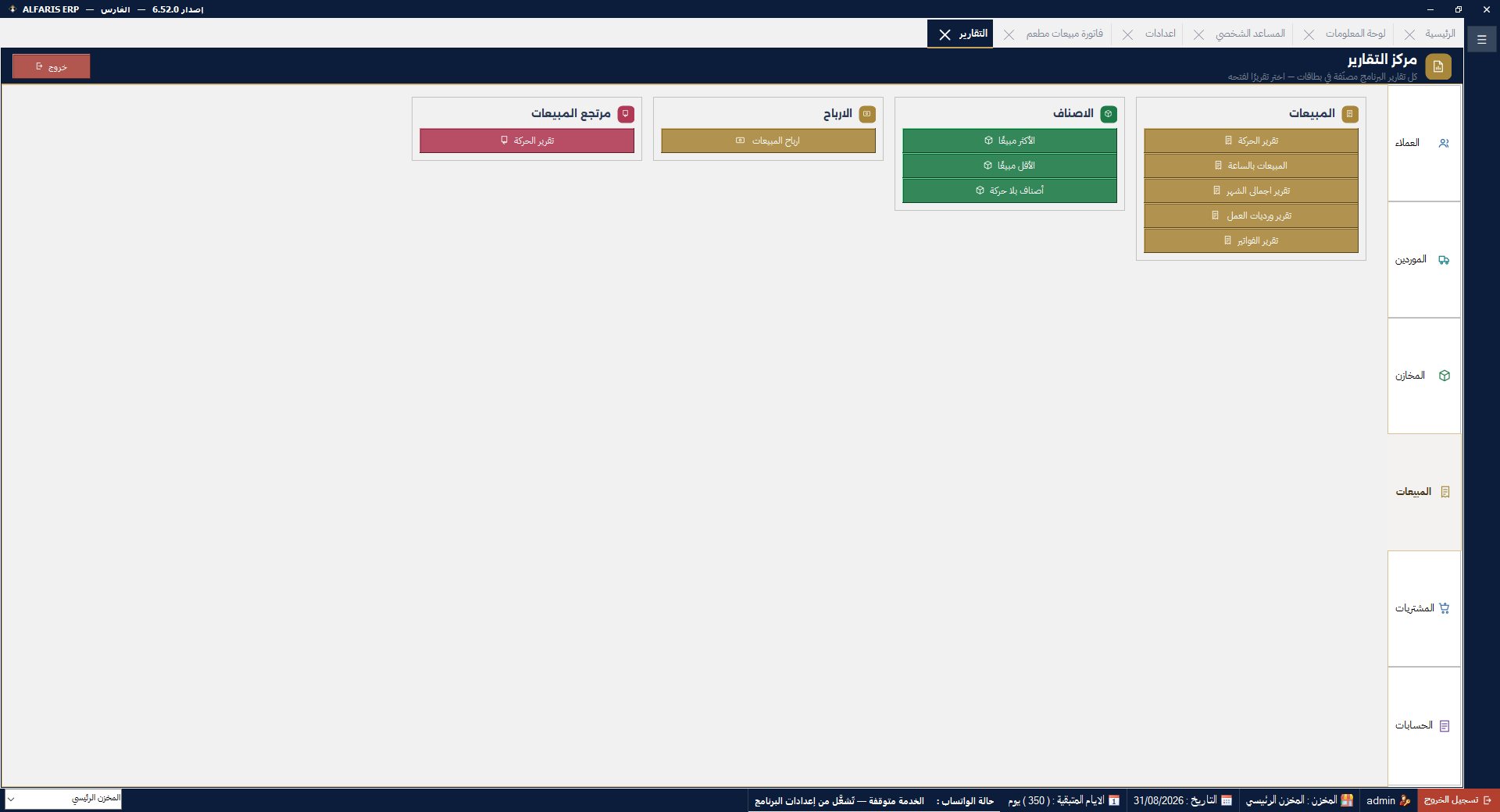
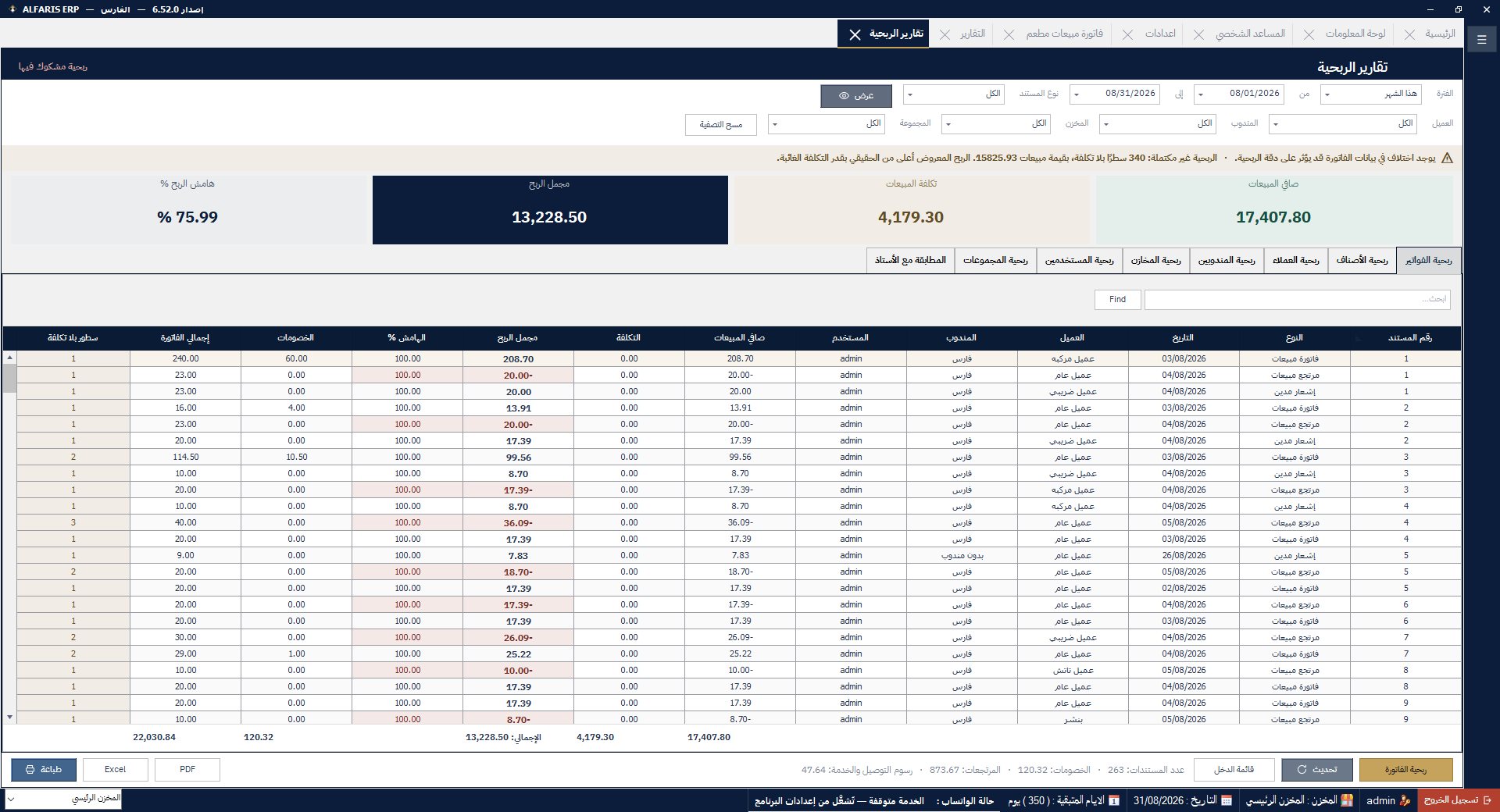
The report center and the profitability report
Ask your data a direct question and get the answer instantly
A feature you won't find in traditional accounting software: an assistant inside the system you can ask "How much did I sell today? What was my best sales day? What's my profit this month?" — and it answers straight from your data with a clear number, no reports to open or grids to filter.
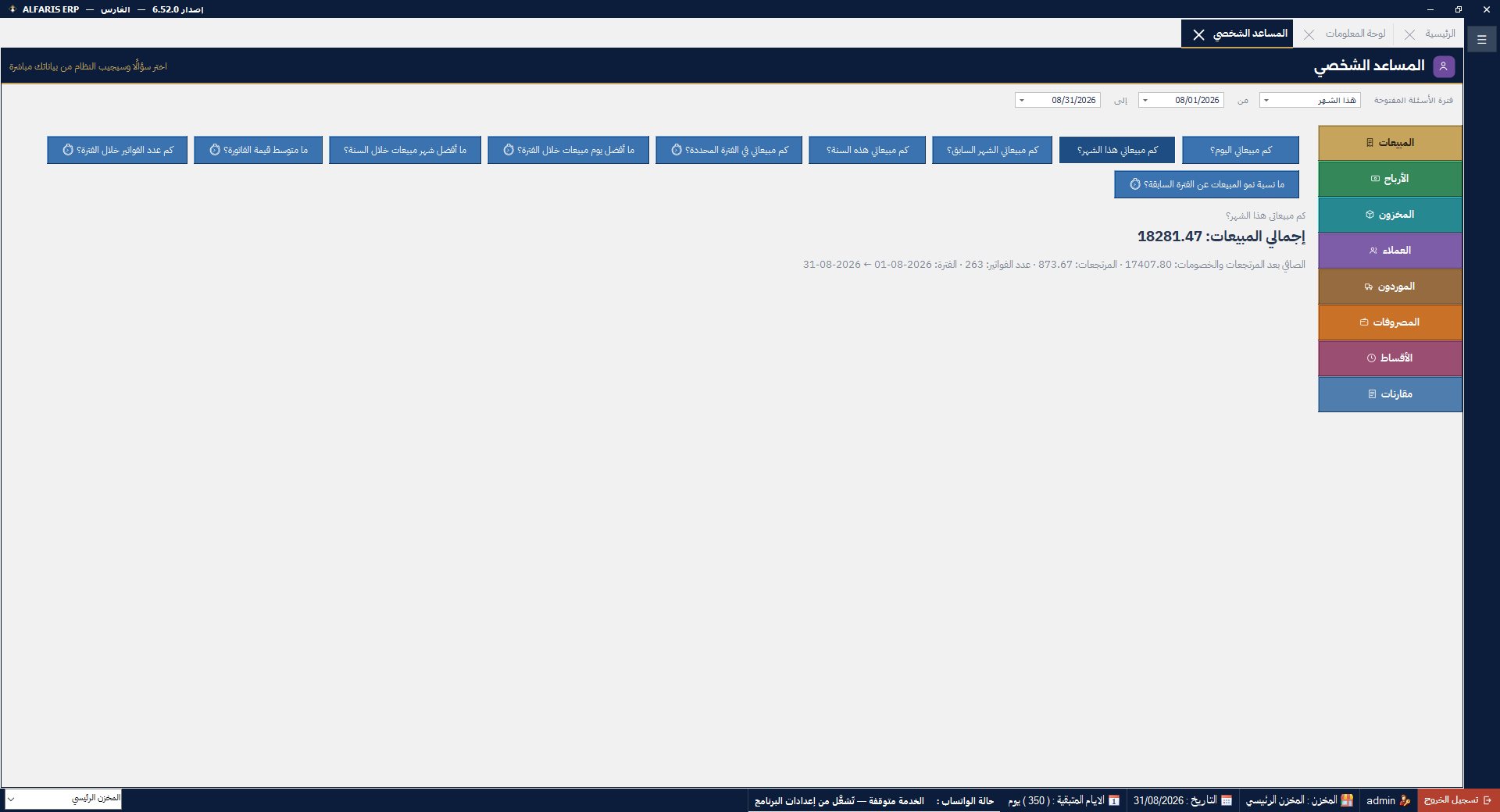
The personal assistant — instant answers from your data
Your business pulse in one screen
A live dashboard showing total sales, returns, profits, profit margin and invoice count, with a day-by-day sales and profit chart, plus tabs for inventory, customers, suppliers, expenses and installments.
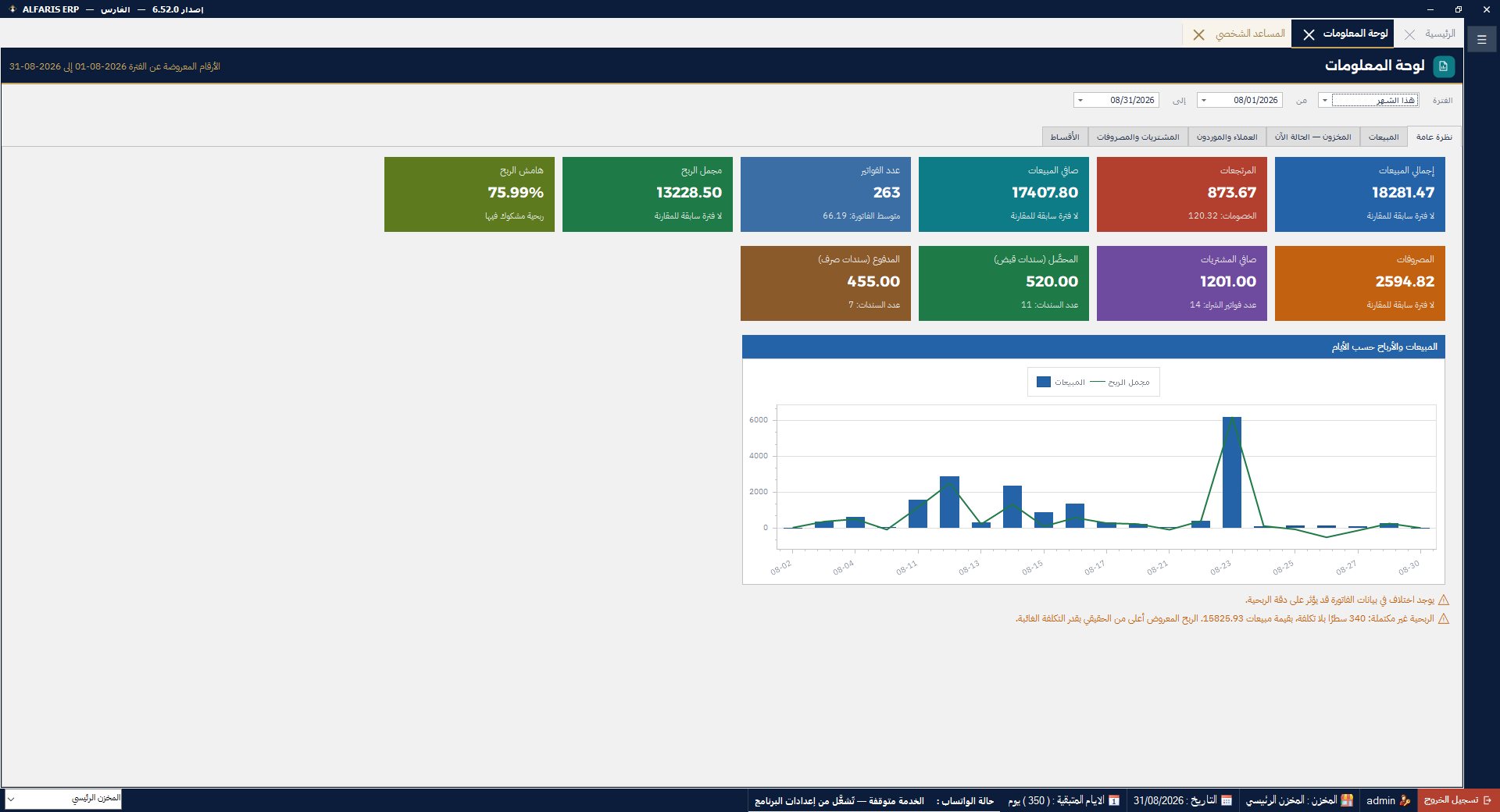
The dashboard — live statistics and charts
Scheduled installments, collection and automatic reminders
Sell on installments with confidence: schedule installments per invoice with due dates, track what's paid and what's left per customer, and get alerts for due and overdue installments — with WhatsApp reminders.
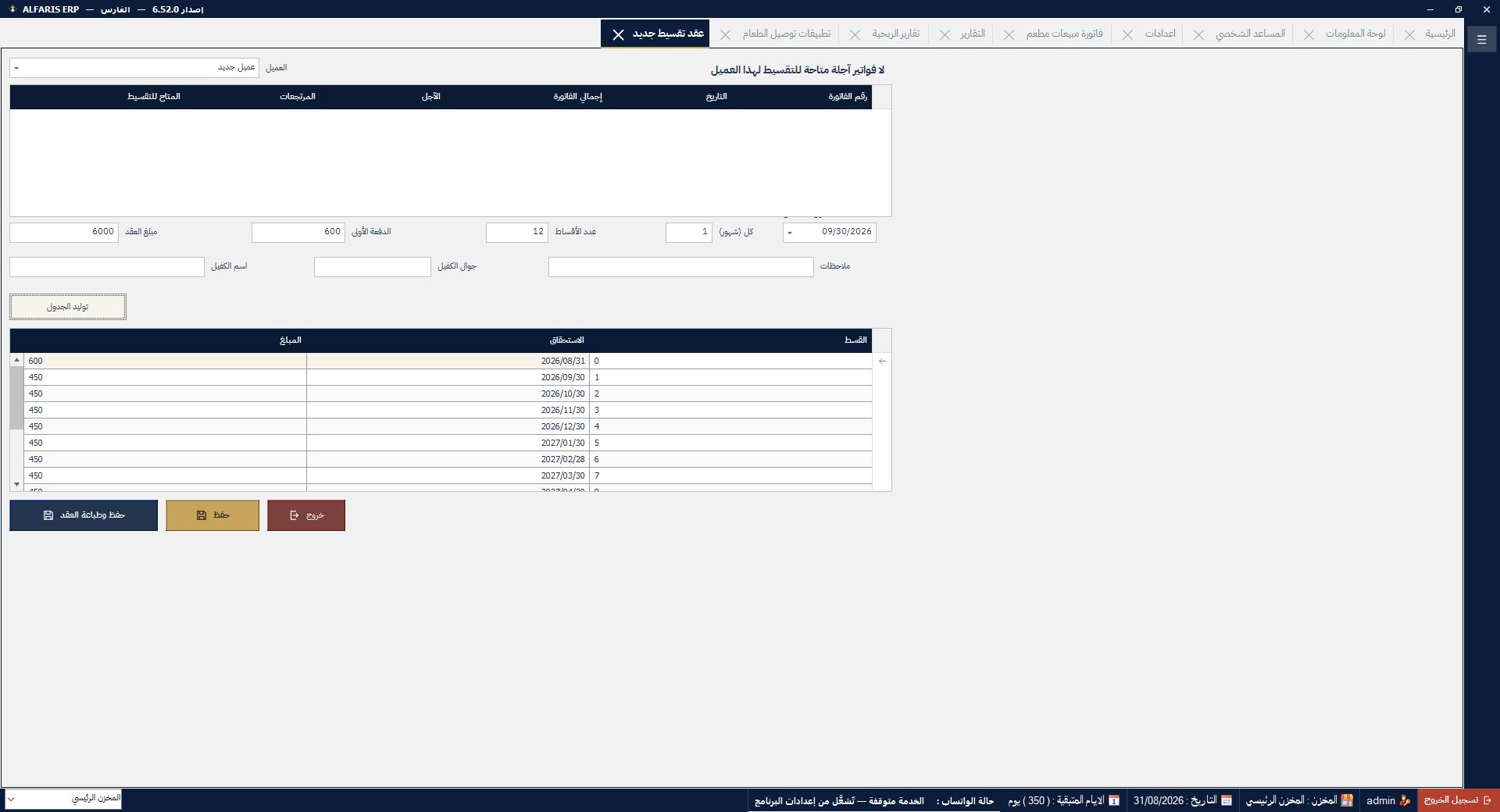
Installment sales management
Receive devices, track repairs, deliver to the customer
A full section for repair shops and phone/appliance stores: receive the device with a printed receipt, record the fault, spare parts and labor, track repair status, then issue a delivery invoice linked to accounting — plus a dedicated car-service section with vehicle details.
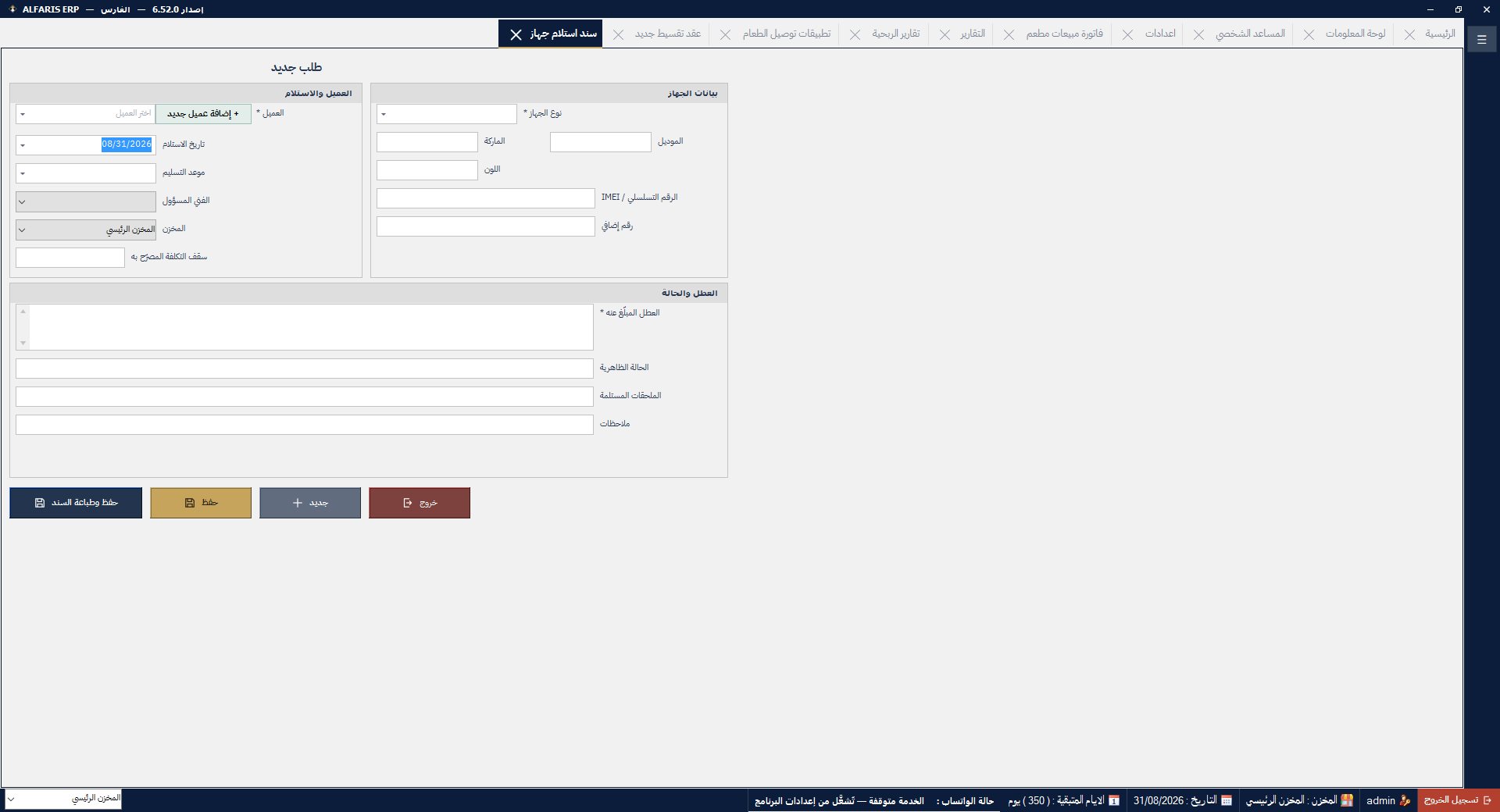
The maintenance and work orders section
Each rep's sales with commissions computed automatically
Link every invoice to its sales rep, set commission rates, and let the system compute each rep's dues automatically — with performance reports showing who sells more and who collects best.
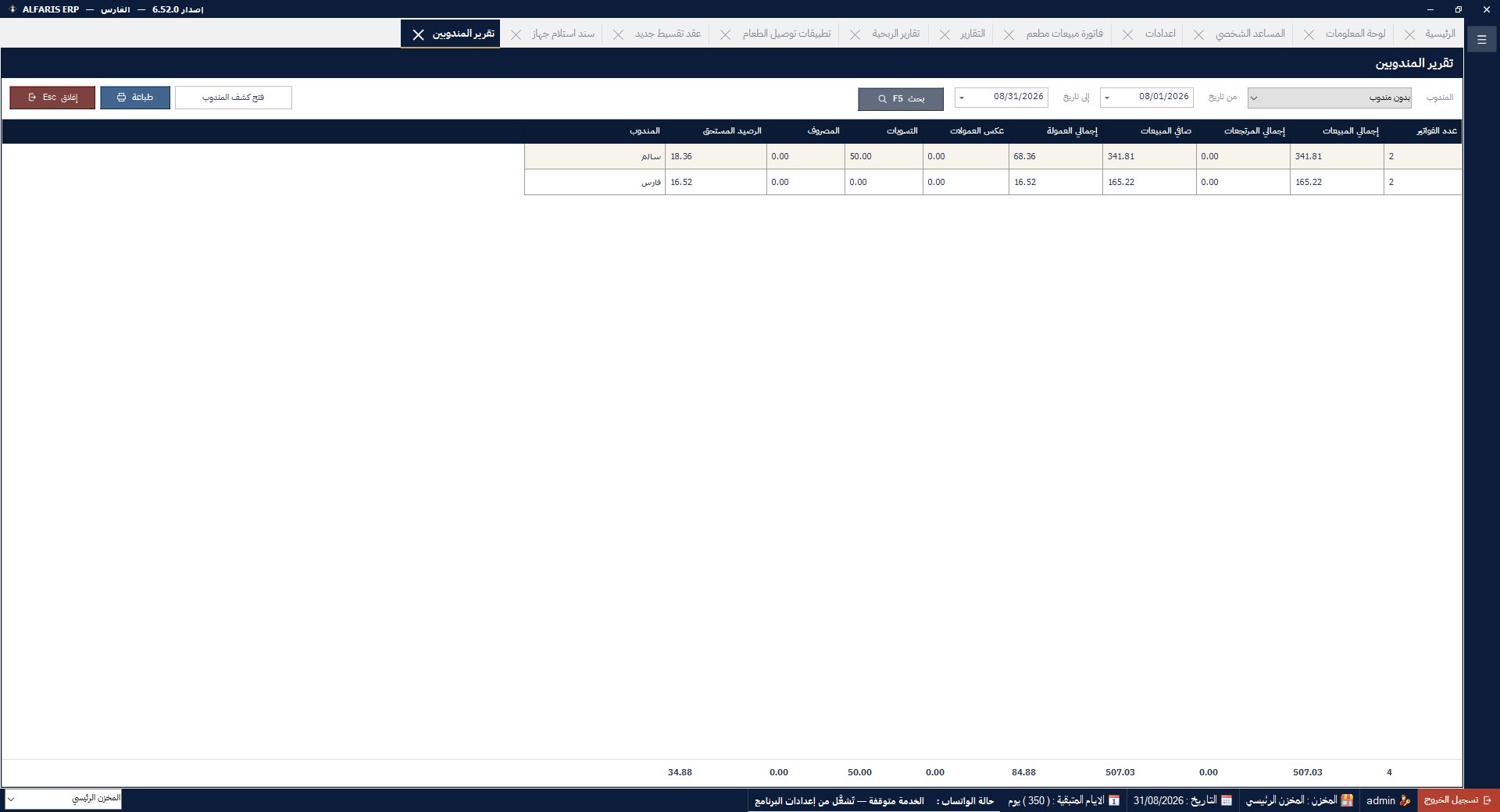
Sales reps and commissions management
Employee files, advances, deductions and monthly payroll
Manage HR from the same system: a file per employee with salary and allowances, advances, deductions and overtime, and a monthly payroll run posted straight to accounting.
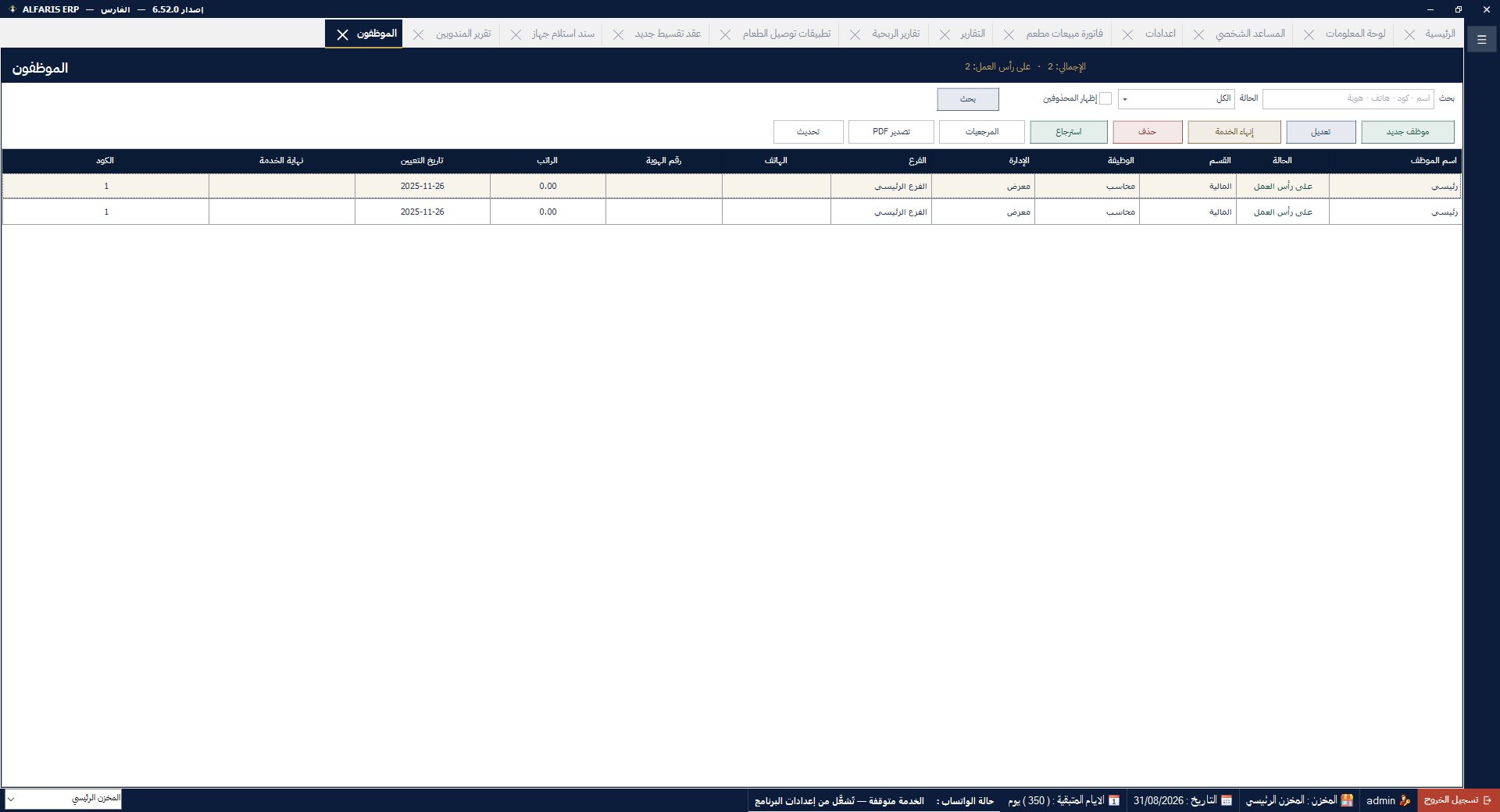
Employees and payroll management
Items, barcodes, stocktaking and warehouse transfers
Items with multiple units and a barcode per unit, barcode label design and printing from inside the software, physical stocktaking with automatic variances, transfers between warehouses, and reorder alerts — with accounting-grade costing.
Automatic entries, general ledger, trial balance, financials
Real accounting, not just invoices: a ready customizable chart of accounts, an automatic journal entry for every sale, purchase, receipt and payment, receipt and payment vouchers, categorized expenses, and multiple cashboxes and banks.
Every user sees only what concerns them
Users with fine-grained permissions screen by screen and button by button: who sells, who discounts, who sees reports and profits. Multiple warehouses and branches under one entity, with extra cashier terminals on the local network.
Your data stays with you and sales never stop
The software runs locally on your machine — an internet outage never stops sales. Scheduled automatic backups protect your data, signed updates arrive inside the software with one click, and a support team answers you on phone and WhatsApp.
Dedicated sales screens for each business type
The system implements Phase 2 (integration) of e-invoicing: tax invoices are issued and submitted to ZATCA with a digital signature and a tamper-proof chain — from inside the sales screen with no extra step.
No. The system runs locally and your data stays with you. Internet is only needed for submitting invoices to ZATCA and optional features like WhatsApp sharing and updates.
Yes — a main machine holds the data and additional cashier terminals work with it over the local network.
Yes — the system implements Phase 2 (integration): digitally signed invoices with QR codes submitted to the authority automatically. (ZATCA does not issue an "approval" for accounting software; the standard is that the solution meets the requirements and your establishment is successfully onboarded — we handle that onboarding with you at installation.)
Per-business licensing with an annual subscription or a lifetime license, including support and updates. Contact us and we'll suggest the right fit.
We help you migrate items, customers and opening balances from your previous system as part of the installation service.
Yes, the software is fully Arabic, with an English interface available for those who need it.
No. AlFaris ERP (برنامج الفارس ERP, alfariserp.com) is an independent Windows-based, offline-capable accounting and POS system. It has no relation to any other company, software or government system that shares the "AlFaris" / "Faris" name.
Sales and support reply directly on WhatsApp or by phone
💬 Message us on WhatsApp